Scalix Insights1 min read
Boosting Frappe: Pasword masking, and partial decoding
By Prafful Suthar
Password Masking & Decode
Frappe Password Masking
For cases where we want to save secrets on frappe and want them to be masked or completely decoded and have some control and options around it following can be used.
Append masking config
-
format: Masking format for partial decode, and values with
#will be replaced with actual secret and rest with*. -
roles: Array of roles allowed to access this masked secret
-
allow_decode: Boolean to complete decoding of secret
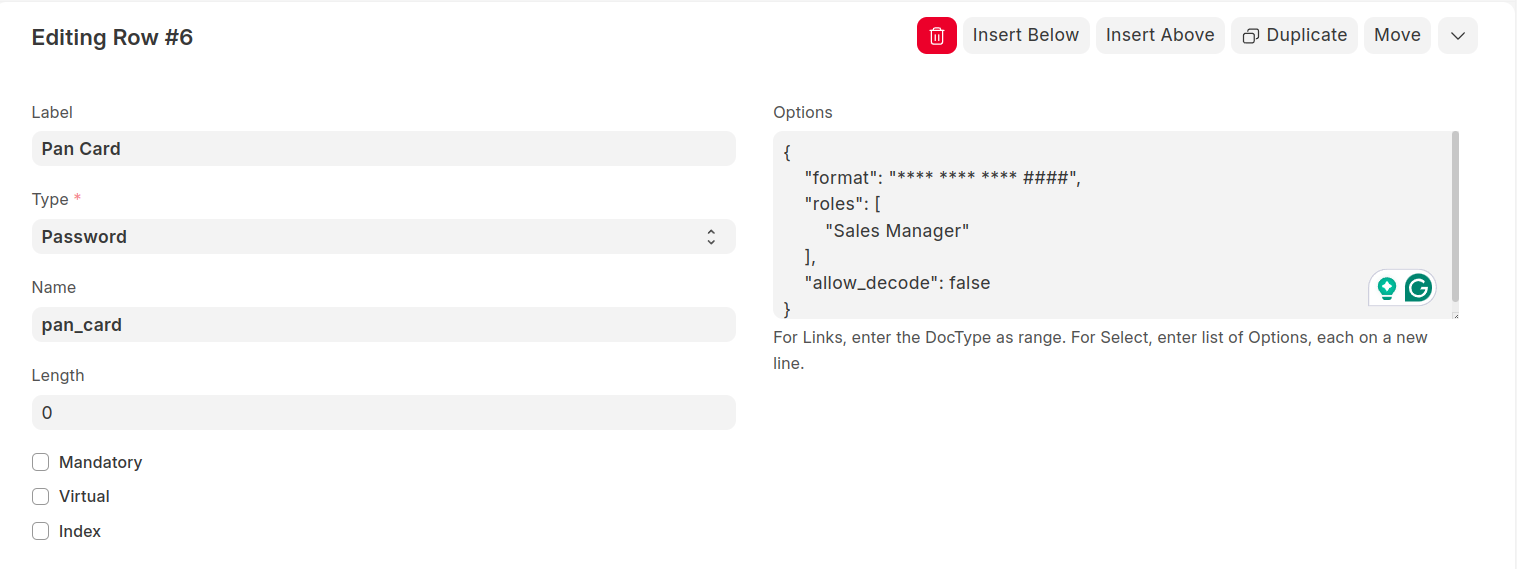
Example Config
{
    "format": "**** **** **** **##",
    "roles": [
        "Administrator"
    ],
    "allow_decode": false
}
Append above to options of your doctype options on password field.
Use API to fetch Masked/Decoded secrets
API: ${FRAPPE_SITE}/api/method/frappe_utils.api.get_decrypted_secret
Method: GET
API Params:
-
doctype: Doctype Name.
-
docname: Name of doctype record
-
fieldname: Field name
-
complete_decode: Boolean for secret to be decoded without any masking
Curl:
curl '${FRAPPE_SITE}/api/method/frappe_utils.api.get_decrypted_secret?doctype=Target%20Type%20Master&docname=Branch%20Organisation-General%20Insurance&fieldname=pan_card&complete_decode=false'
Response:
{
    "message": "**** **** **** 4322"
}
Sample Format and decodes
Format Secret Masked
"* *** ####" "1234567890123456" * *** 3456
"* *** ####" "12345" * *** 2345
"* *** ####" "12345" * ** 123
"##" "123456" 12
" ## " "1" *1
About the author
Prafful Suthar writes for Scalix on enterprise platforms, high-throughput systems, and ERP delivery. Scalix builds and migrates mission-critical software for regulated and scale-heavy organizations from Mumbai and remote-first teams. See our case studies for problem–solution–result write-ups, or contact us about your roadmap.