Scalix Insights2 min read
Boosting Frappe: Composite key with frappe
By Prafful Suthar
Composite Key
Composite key can be used for purpose where we need to have
-
Primary ID(Doctype name) to be a composition of few fields & should rename when a field changes
-
Uniqueness of needs to be checked for a doctype based on combination of few fields.
-
A field which needs to be combination of other fields and used for searching or uniqueness.
Fields
-
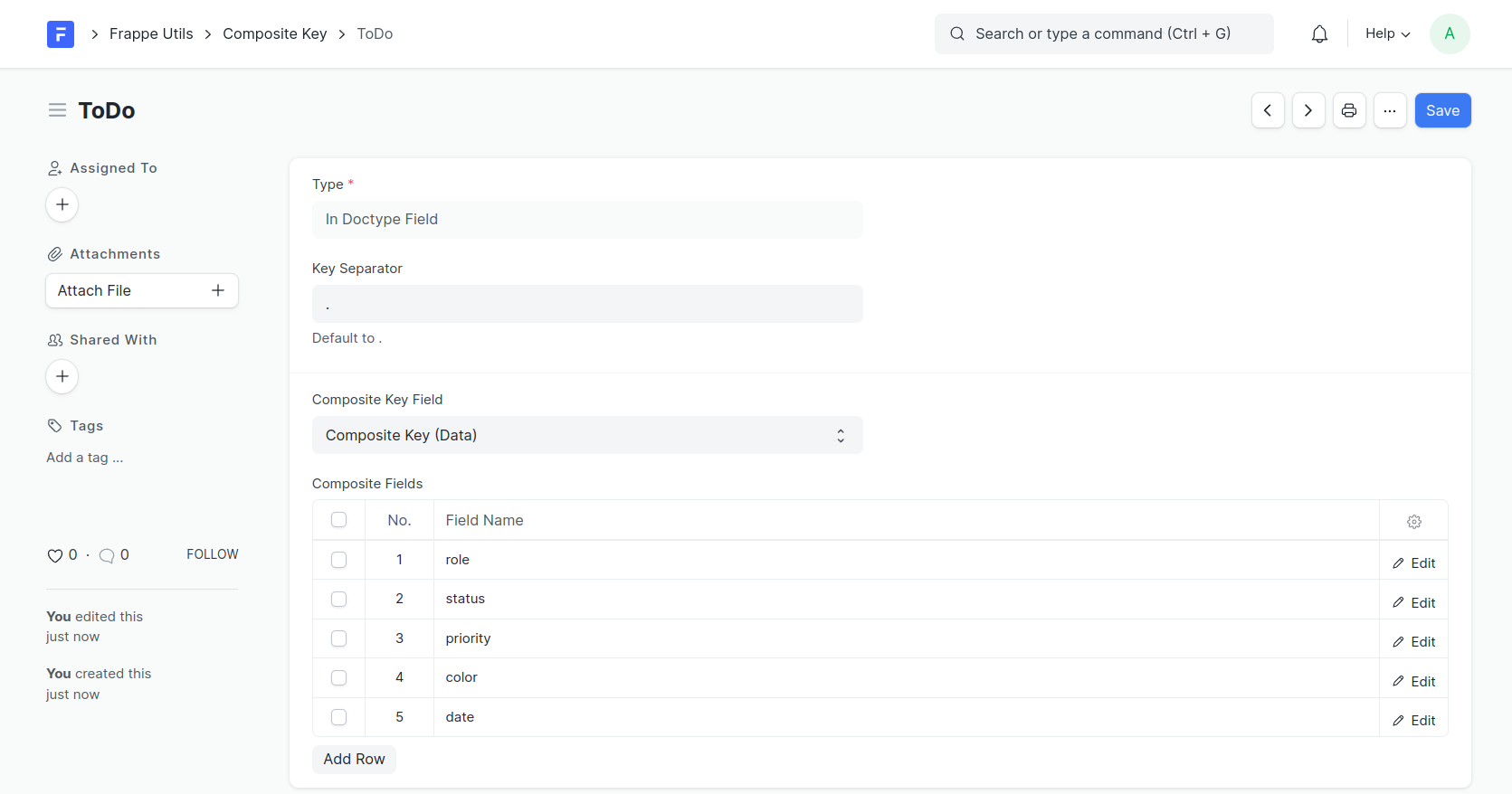
For Doctype: Choose the DocType for which you want to create a composite key.
-
Type: Type of Composite key.
-
In Doctype Field: Map you composite key to a field on Doctype.
-
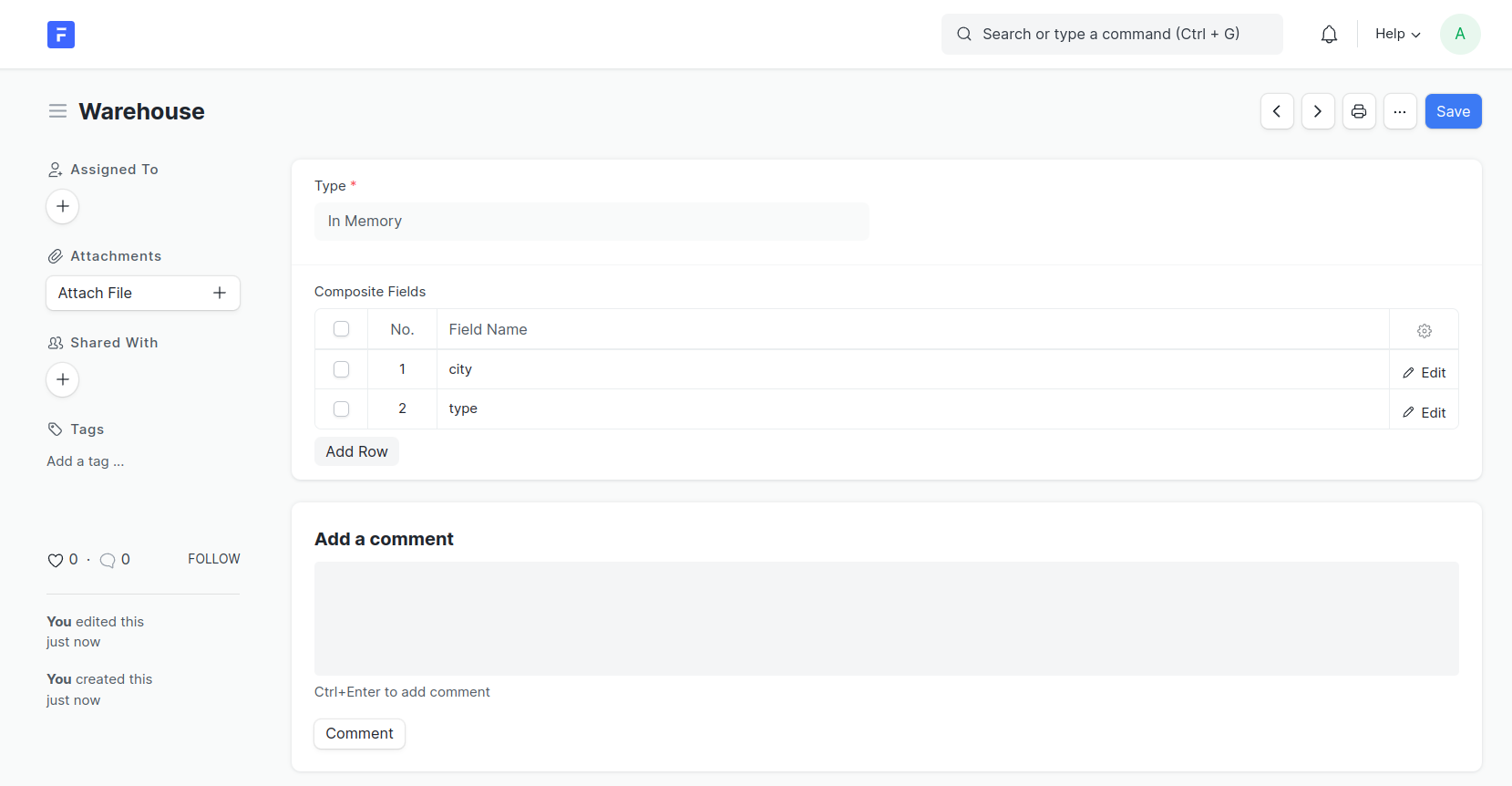
In Memory: Validate unique based on combination of selected fields
-
Primary Id: Map combination of keys to
Primary ID(Name)of selected doctype.
-
-
Key Separator: Define the separator character that will be used to separate fields in the composite key (Default to .)
-
Composite Key Field: Select a field in the target DocType where the generated composite key will be stored, Only needed for type of composite key.
-
Composite Fields: Append fields from selected doctype in
For Doctype
In Doctype Field
Example: Consider we have a Invoice doctype where we have a customer, warehouse and location, here we would like to have a reference field which is ${customer}-${warehouse}-${location}
Working Example for TODO
Creating a composite key
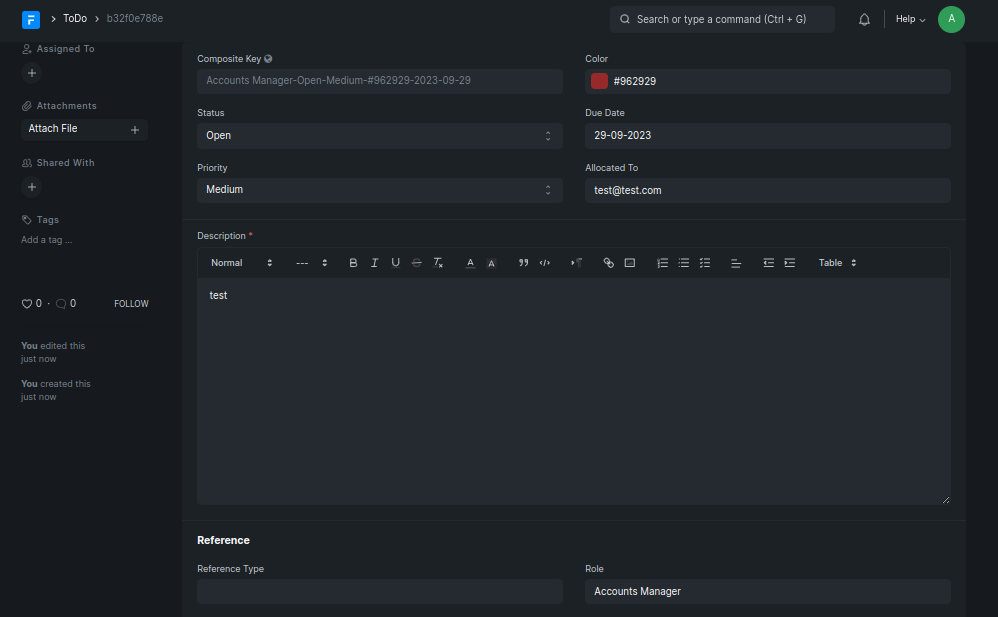
Key being appended on save
In Memory
Example: Consider we have a Warehouse doctype which has City and Type, we would like to have a uniqueness check that only 1 warehouse can exist for City of a selective Type.
Example
Creating a composite key
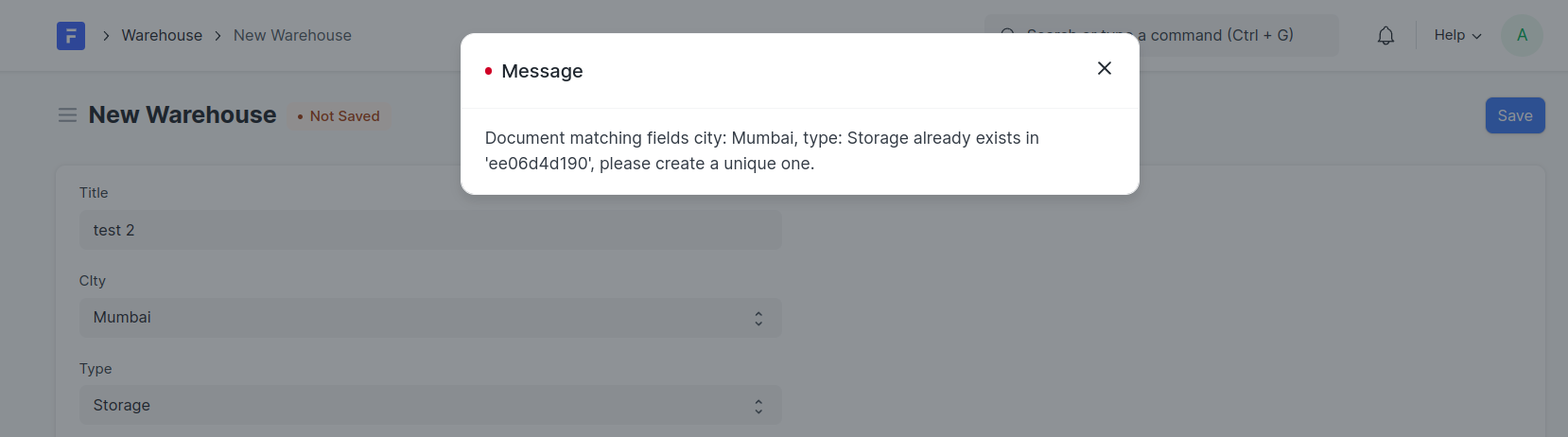
Validation should apply
Primary Id
Example: Consider we have a Warehouse doctype which has City and Type, we would like to have a the Primary-ID/Name of this doctype to be concatenation of City and Type.
Note: Use this only for the cases where you expect to change the
Primary IDwhen concatenated field ieCityorTypeis changed, this change of ID is reflected across allLinksand could be heavy.
Otherwise use DoctypeNaming Series.Select the Naming Rule as By script on the DocType for child tables to work correctly.
Example
Creating a composite key
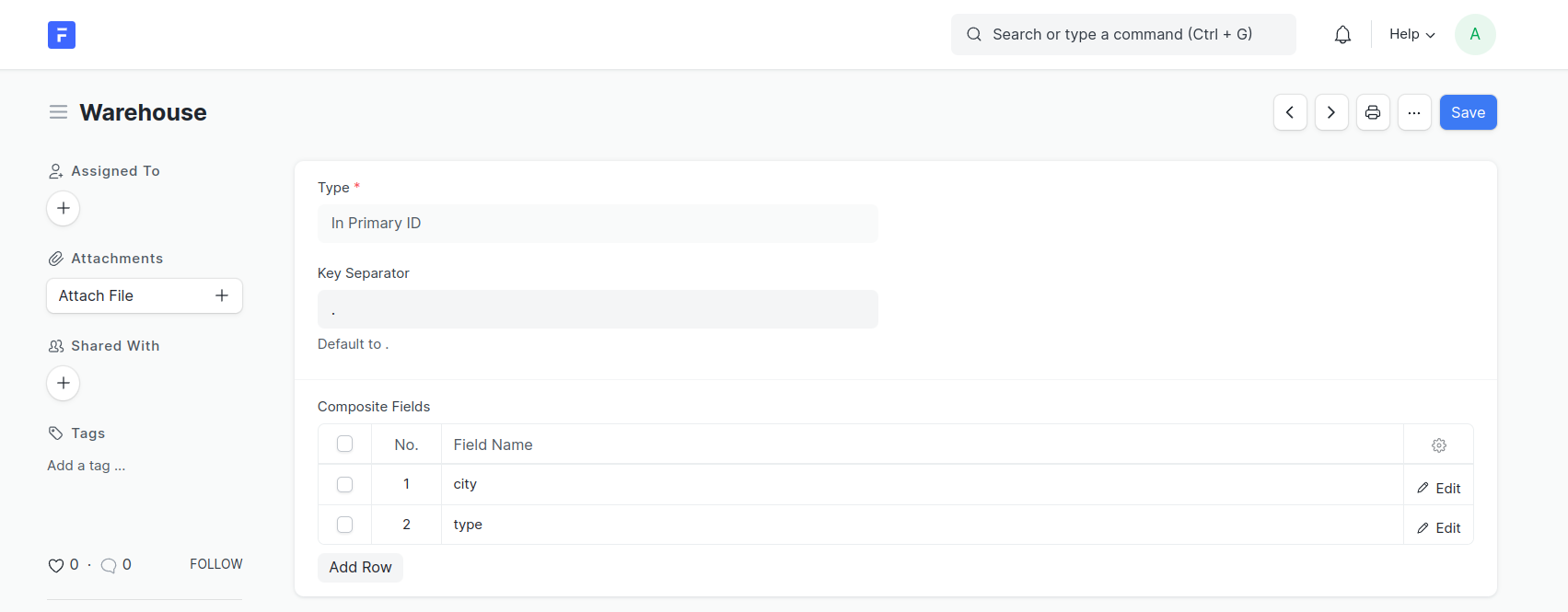
Validation should apply
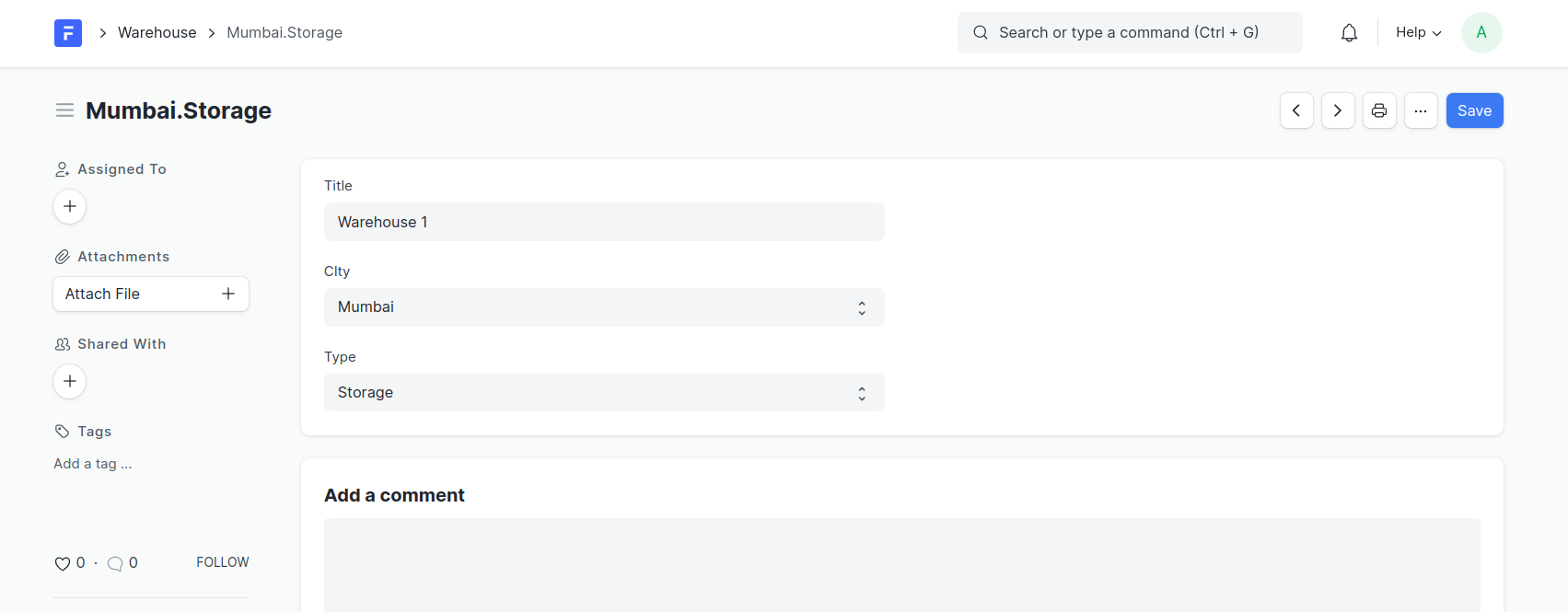
About the author
Prafful Suthar writes for Scalix on enterprise platforms, high-throughput systems, and ERP delivery. Scalix builds and migrates mission-critical software for regulated and scale-heavy organizations from Mumbai and remote-first teams. See our case studies for problem–solution–result write-ups, or contact us about your roadmap.